

Best FPS for Hytale, PC Requirements: Can Your Computer Handle Orbis?


Will my PC actually run it well?
The Hytale team has shared detailed system requirements, from low end laptops all the way up to creator and streaming setups. Below is a player friendly breakdown you can use when jumping into Hytale. This will help you understand what you need and how to tune your settings.
Quick note: all of this is based on current in house benchmarks from the Hytale team and is still subject to change as they keep optimizing the game.

TLDR: Three Target Setups
Hytale currently tests around three main tiers:
- Minimum
Aim: about 30+ FPS at 1080p on Low settings.
Good for: casual players, older or budget PCs, multiplayer focused players. - Recommended
Aim: about 60+ FPS at 1080p on High settings.
Good for: most players who want smooth singleplayer and multiplayer. - Recording / Streamer
Aim: stable 60 FPS at 1440p while recording or streaming.
Good for: YouTubers, streamers, and creators who record regularly.
All three require a 64 bit CPU and operating system and currently target Windows 10 (1809) or Windows 11.
Minimum Requirements (1080p, around 30 FPS on Low)
This tier is meant to keep Hytale playable on modest gaming PCs and decent laptops.
OS
- Windows 10 64 bit (version 1809 or newer)
- Windows 11 64 bit
CPU
- Roughly Intel Core i5 7500
- Or AMD Ryzen 3 1200
- Or any modern CPU in that performance range
RAM
- 8 GB if you have a dedicated graphics card
- 12 GB if you rely on integrated graphics
- 8 GB is usually enough if you only ever play multiplayer
GPU
Integrated examples
-
-
- Intel UHD Graphics 620
- AMD Radeon Vega 3
-
Dedicated examples
-
- Nvidia GTX 900 series
- AMD Radeon 400 series
- Intel Arc A series
Hytale’s renderer is built on modern graphics APIs and will eventually require Vulkan 1.3 support, so very old GPUs will slowly fall off.
Storage
- At least 20 GB free on a SATA SSD
- HDD will work, but expect longer loading times and occasional stutters
Network
- 2 Mbit/s download for multiplayer, using UDP or QUIC compatible connections
- Upload usage is tiny for normal play
The team reports about 30 to 34 FPS at 1080p on an Intel HD 630 class iGPU, as long as you keep view distance sensible and close background apps.
Recommended Requirements (1080p, around 60 FPS on High)
If you want Hytale to feel smooth in both singleplayer and multiplayer, this is the tier to target.
OS
- Windows 10 64 bit (1809+) or Windows 11
CPU
Roughly Intel Core i5 10400
Or AMD Ryzen 5 3600
Modern 6 core CPUs in that performance bracket will be fine
RAM
16 GB system memory
GPU
Integrated examples
- Intel Iris Xe
- AMD Radeon 660M
Dedicated examples
- Nvidia GTX 900 series and up
- AMD Radeon 400 series and up
- Intel Arc A series
Again, Vulkan 1.3 support will matter more and more over time.
Storage
- SSD with at least 20 GB free
- SSD is strongly recommended to avoid stutter when loading new chunks and assets
Network
8 Mbit/s download is recommended for multiplayer at reasonable view distances
Storage Needs: World Size Actually Matters
Unlike fixed level games, Hytale’s worlds can grow as you explore.
- Install size: about 8 GB for the core game
- Save file example (Exploration mode)
- Around 661 MB for a world sized roughly 5000 x 5000 blocks
- About 27 KB per 32 x 32 chunk
For most players:
- 10 GB free is the absolute minimum you should aim for
- 20 GB free is a safer bet if you plan long term play, modding, or lots of exploration
Everything benefits from being on an SSD.
Network Requirements: View Distance Is King
You can always play singleplayer offline once the game is downloaded. Multiplayer is where bandwidth matters.
The main factor is view distance. The further you see, the more new terrain your client has to download.
Based on Hytale’s internal tests in Exploration mode:
View distance 192 blocks
- Minimum: 2 Mbit/s
- Recommended: 4 Mbit/s
View distance 384 blocks
- Minimum: 4.5 Mbit/s
- Recommended: 7 Mbit/s
View distance 480 blocks
- Minimum: 6 Mbit/s
- Recommended: 10 Mbit/s
Those numbers are worst case: sprinting around at about 1.5x normal speed to constantly load new terrain. In normal play you are likely to use much less bandwidth, especially in minigames with small maps.
Even older 1 Mbit/s ADSL style connections can be ok if you keep view distance low and avoid heavy exploration servers.
Creator and Streamer Requirements (1440p, stable 60 FPS while recording / streaming)
If your audience is your priority, you want a setup that can handle game + recording/streaming software without your FPS swinging wildly.
OS
- Windows 10 64 bit (1809+) or Windows 11
CPU
- Around Intel Core i7 10700K
- Or AMD Ryzen 7 3800X
- Any strong modern 8 core is a good target
RAM
- 32 GB system memory
- Game, browser, editing tools, Discord, recording or streaming software all add up
GPU
- Nvidia RTX 30 series
- AMD Radeon RX 7000 series
- Intel Arc A series
The focus here is not just FPS, but good hardware encoders for high quality streams at reasonable bitrates. If possible, use AV1 or HEVC for recording and streaming.
Storage
- NVMe SSD with at least 10 percent free or 50 GB free space
- Ideally, record to a separate drive from your game install to avoid stutters
Internal testing on a very high end machine shows Hytale easily exceeding hundreds of FPS at 1440p with a large view distance while recording. This creator tier is optional, but ideal if you want rock solid frame pacing while the game is under heavy load.
Why CPU, RAM and View Distance Matter So Much
Hytale is a voxel sandbox that runs both a client and a server.
Singleplayer
Your PC handles:
- Rendering and UI
- Simulation of blocks, NPCs, physics
- World generation, pathfinding, voxel logic
This hits CPU and RAM harder than pure graphics.
Multiplayer
On a server, most simulation runs remotely. Your PC mostly deals with:
- Rendering
- Input and local effects
That usually means better performance on the same hardware compared to singleplayer. If your PC struggles in singleplayer, try playing on a server hosted by a friend or a community.
Mods and view distance
- Complex mods, custom content packs and high view distances push CPU, RAM and GPU harder
- Every time you double the view radius, you roughly quadruple the amount of world that needs to be loaded and simulated
- That is a huge jump in block count, NPCs and geometry
Hytale’s world is designed around about 384 block view distance, so try that if your hardware can handle it. If not, experiment and find the sweet spot where FPS is stable and the world still feels big.
How to get better FPS for Hytale
1. Check your GPU first
- Make sure it at least matches the minimum listed series
- Dedicated GPU is preferable to integrated graphics on laptops
2. Aim for enough RAM
- 8 GB is the bare minimum
- 16 GB is the real comfort zone
- 32 GB if you record, stream, or run lots of background apps
3. Install Hytale on an SSD
- Faster loading
- Less stutter when exploring new areas
4. Tweak view distance before anything else
- Start around 192 blocks on low end hardware
- Go up if FPS is good, down if performance tanks
5. Close background software
- Browsers, launchers, overlays and RGB tools all eat CPU and RAM
6. Multiplayer as a fallback
- If singleplayer is heavy, try playing on a server
- The remote server carries much of the simulation cost
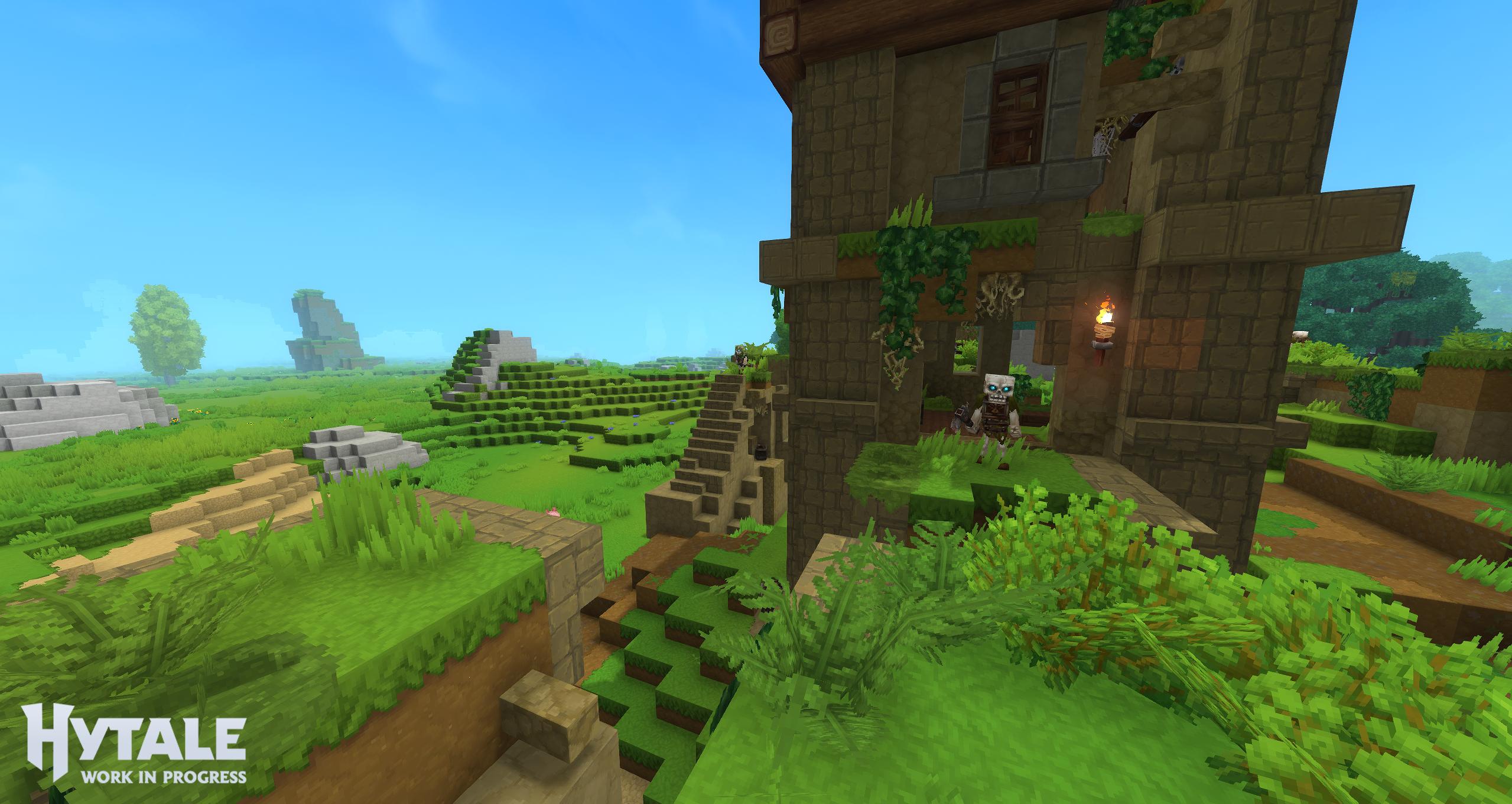
Screenshot of 192 view distance
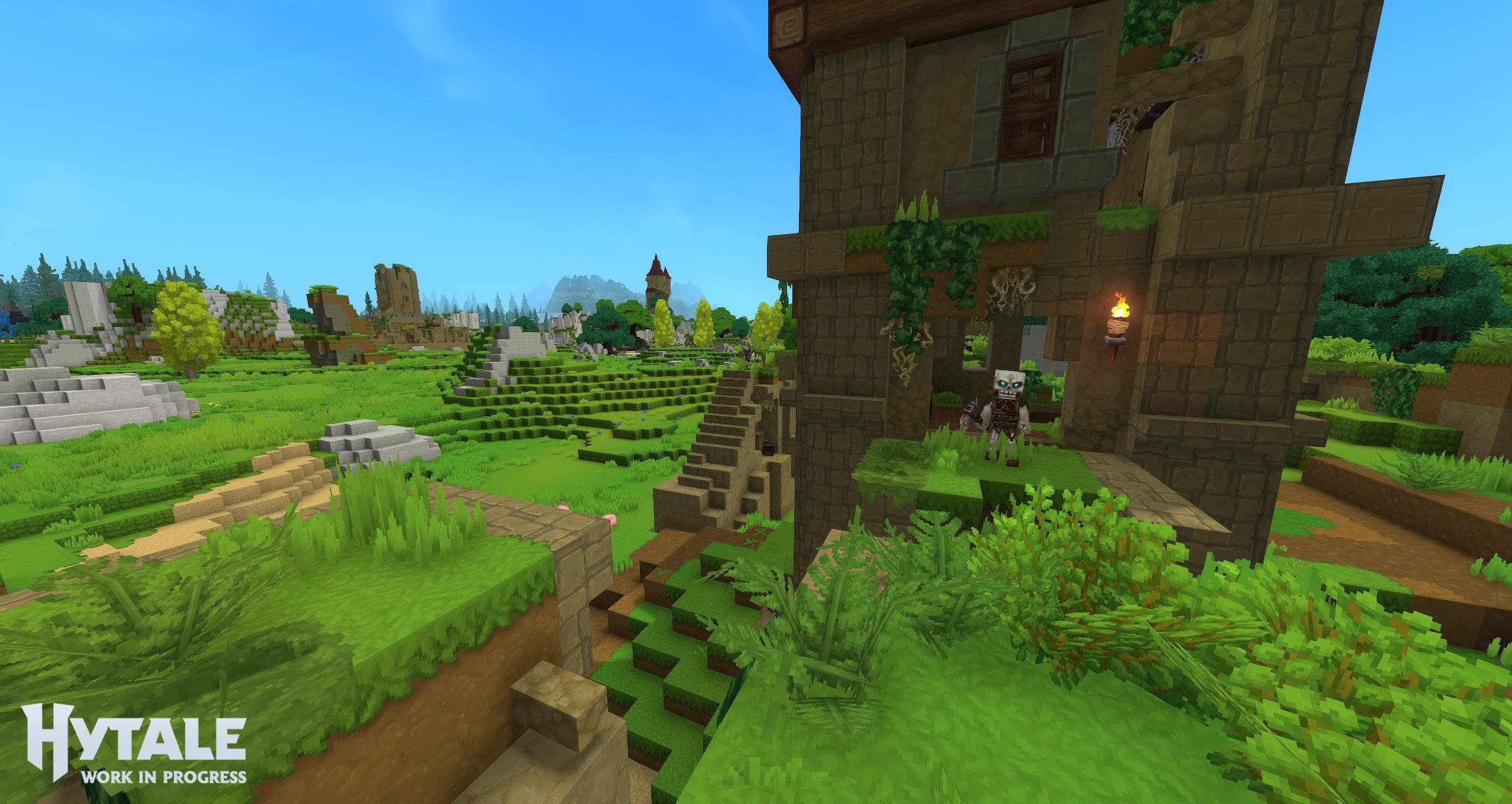
Screenshot of 1024 view distance
Wrapping Up
Hytale is not a tiny game technically, but the team clearly wants it to run on a wide range of PCs, from old integrated laptops all the way up to big creator rigs. As development continues, expect these requirements to shift a bit as optimization improves.
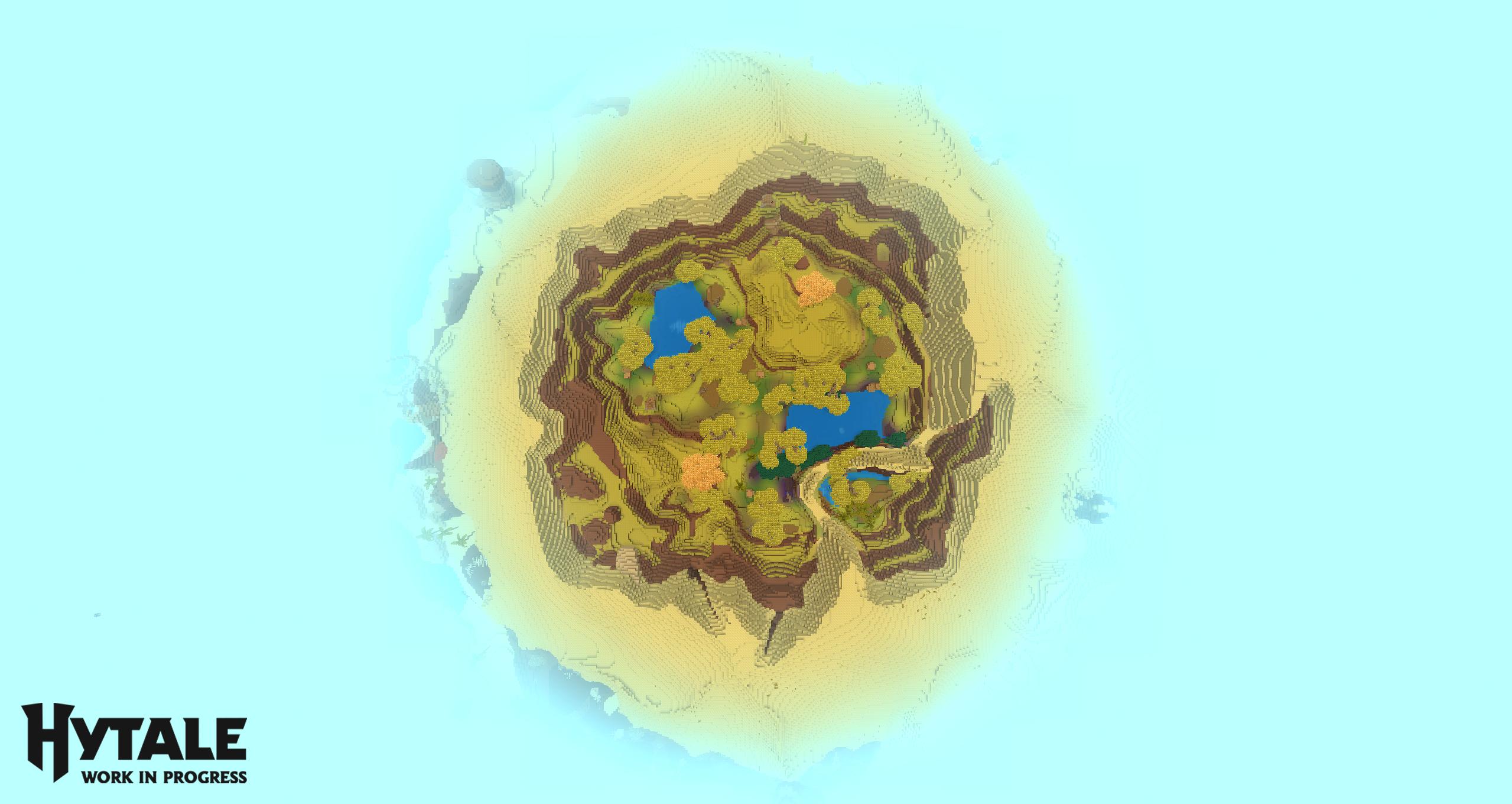
Screenshot of 192 view distance
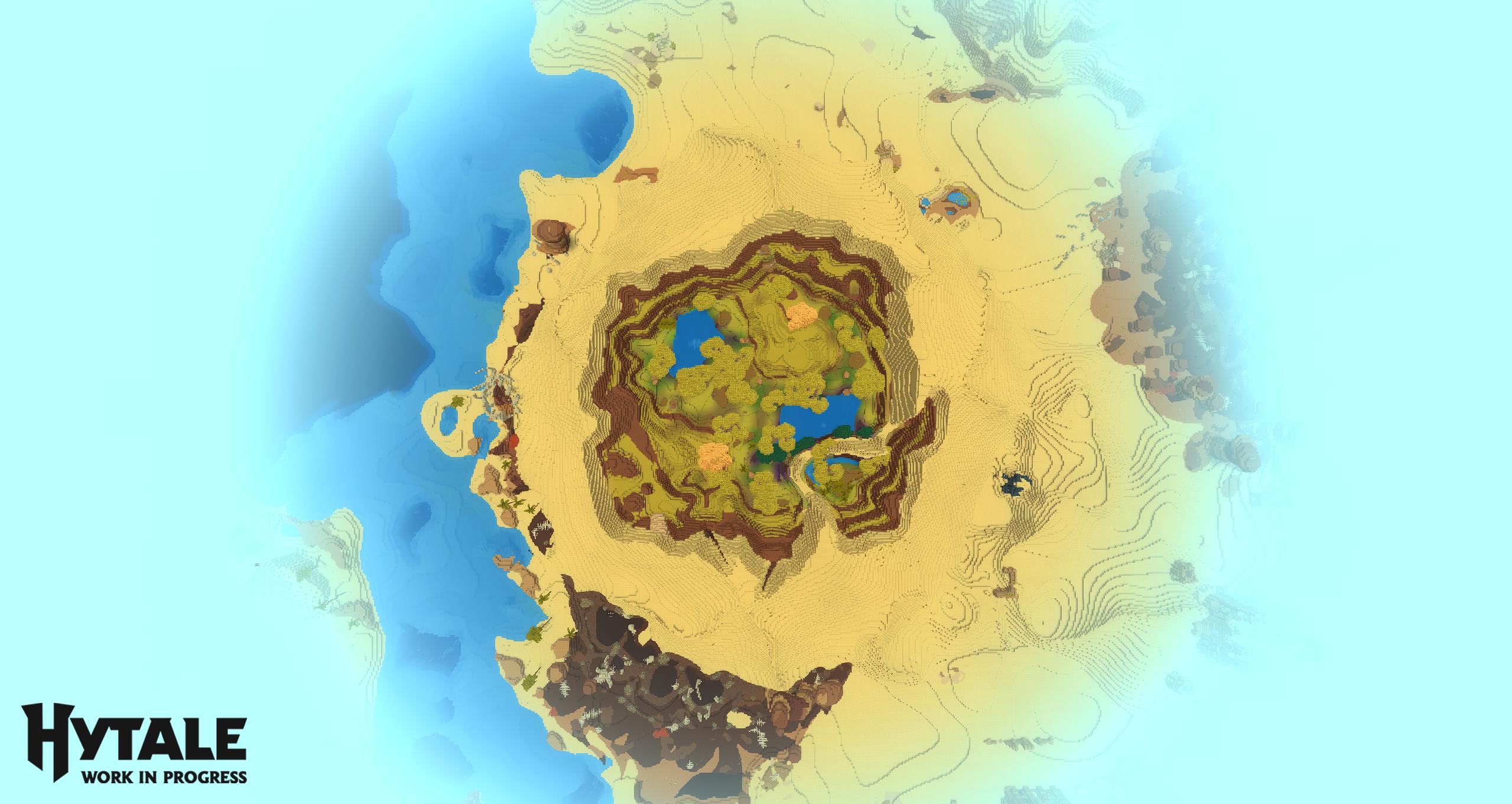
Screenshot of 384 view distance